

Why Manual Resume Screening Breaks Down Fast
Every hiring process looks manageable on day one. A candidate submits a form, someone on the team opens it, reads the resume, checks the experience section, jots a note, updates a spreadsheet, and replies. That works fine for five applicants.
It falls apart at fifty.
Once volume picks up, screening turns into a bottleneck. Strong candidates sit in an inbox for days while a recruiter works through a backlog of near-duplicate reviews. The fix most teams reach for is automation — but automation done badly just replaces a slow human bottleneck with a fast, careless one. If an AI system silently rejects a qualified applicant because of a formatting quirk in their resume, you’ve traded a slow problem for a worse one.
The workflow below solves this a different way: AI handles the repetitive first pass, but a person always makes the actual hiring call.
The Core Principle: AI Screens, Humans Decide
Before touching any tools, it’s worth being explicit about the design philosophy, because it shapes every step that follows.
AI is good at fast, consistent pattern matching — comparing a candidate’s stated experience against a job description, flagging missing qualifications, and summarizing a wall of text into a few readable lines. AI is bad at judgment calls that require context an application form can’t capture: a nontraditional career path, an unusual but relevant background, or a strong answer that doesn’t use the exact keywords a scoring rubric expects.
So the workflow keeps AI in an advisory role. It reviews, scores, and summarizes. It never rejects a candidate outright, and it never sends the final decision email on its own. That job stays with a person, every time.
What the Finished Workflow Looks Like
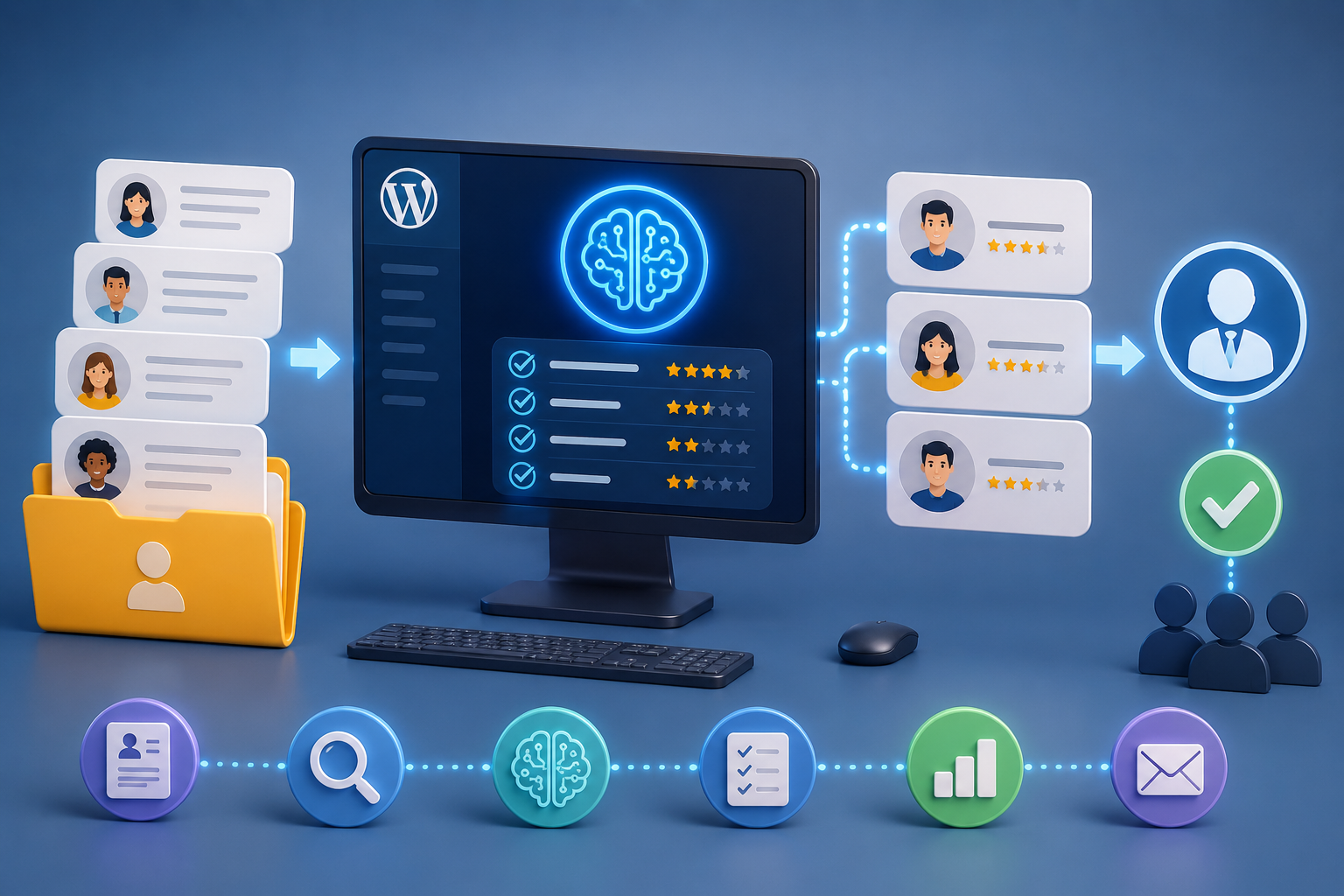
At a high level, the automation has six moving parts:
- Trigger — a candidate submits your job application form
- AI scoring — an AI model reviews the submission against your criteria and returns a structured result
- Data parsing — the AI’s response gets broken into usable fields (score, summary, recommendation)
- Human review — a reviewer gets an email with the candidate summary and approves or declines
- Branching logic — the workflow splits based on that decision
- Record-keeping and follow-up — the application gets logged in a spreadsheet, and the candidate receives the appropriate email
None of this requires a developer. It requires a form on your WordPress site, an automation platform that can connect that form to an AI model and your email/spreadsheet tools, and about an hour of setup.
What You’ll Need
- A WordPress form plugin capable of collecting name, email, role, experience, and a resume upload. Most modern form builders (WPForms, Contact Form 7, Forminator, Bit Form, and similar) will work.
- A no-code automation platform that connects to your form and supports AI steps, conditional logic, and third-party integrations. Options in this space include Bit Flows, Uncanny Automator, FlowMattic, SureTriggers, and general-purpose tools like Make, Zapier, or n8n if you’re comfortable connecting WordPress via webhook.
- An AI model API key — OpenAI, Anthropic’s Claude, Google Gemini, or DeepSeek all work for this kind of structured text evaluation.
- A connected email account (Gmail or similar) for sending the review request and candidate replies.
- A connected spreadsheet (Google Sheets works well) to log every application and its outcome.
Building the Workflow Step by Step
Step 1: Build the Application Form
Keep the form focused. You need enough information for the AI to make a useful assessment, but not so many fields that candidates abandon it halfway through. A solid baseline:
- Full name and contact details
- Position applied for
- Years of relevant experience
- A short free-text answer (something like “why are you a good fit for this role?”)
- Resume upload, restricted to PDF/DOC/DOCX with a reasonable size cap (5–10MB)
Add a clear confirmation message after submission so candidates know what happens next and roughly when they’ll hear back.
Step 2: Connect the Form to Your Automation Platform
Set the form submission as your workflow’s trigger. Submit a real test entry first — most platforms let you capture a sample response, which makes it far easier to map fields correctly in the steps that follow instead of guessing at field names.
Step 3: Configure the AI Scoring Step
This is the heart of the workflow. Add an AI step immediately after the trigger, connect it to your model of choice, and give it clear, narrow instructions. Vague prompts produce vague — or inconsistent — results.
A dependable prompt does three things: restricts the AI to only the information it was given, defines exactly how to score, and forces a clean, structured output you can actually use downstream.
Example system instructions:
You are a first-pass hiring screener. Base your evaluation only on
the information provided in this application. Do not assume or invent
any skills, employers, or credentials that were not stated.

You are not making a hiring decision. Do not reject or disqualify
anyone. Your output is an internal signal for a human reviewer only.

Return valid JSON only — no commentary, no markdown formatting.
Example scoring instructions:
Score the application out of 100 using this breakdown:
- Skills match for the role: 40 points
- Relevant experience: 25 points
- Quality of the written answer: 20 points
- Overall clarity and completeness: 15 points

Map the total score to a recommendation:
- 80–100: Strong Match
- 55–79: Worth a Look
- Below 55: Likely Not a Fit

Respond only with this JSON structure:
{
  "summary": "",
  "strengths": [],
  "gaps": [],
  "score": 0,
  "recommendation": "",
  "reviewer_note": ""
}
Tune the point breakdown and required skills for each role you’re hiring for — a generic rubric will produce generic, less useful results.
Step 4: Parse the AI Output
AI responses come back as a block of text, even when that text is JSON. Add a parsing step that converts the response into individual fields — score, summary, recommendation, and so on — so later steps can reference each one directly instead of dealing with a single unstructured blob.
Step 5: Route the Result to a Human Reviewer
This is where the “human in the loop” principle actually gets enforced. Send an email (or a similar approval-request notification) to whoever owns hiring decisions, containing:
- Candidate name and the role they applied for
- The AI-generated summary
- The score and recommendation
- A link to the resume
- Clear approve/decline options
Keep this email short. A reviewer scanning it for ten seconds should be able to make a call. Most automation platforms support “wait for response” style steps that pause the workflow until the reviewer clicks approve or decline — that pause is doing real work here, not just adding a delay.
Step 6: Branch the Workflow on the Reviewer’s Decision
Add a conditional step that checks the reviewer’s response and splits the workflow into two paths — approved and declined. Double-check the exact value your platform returns for each outcome; copy it directly from a test run rather than typing it from memory, since a small mismatch here will silently break the branch.
Step 7: Log Every Application
Regardless of outcome, write the record to a spreadsheet: candidate details, AI score and summary, reviewer decision, and timestamps. This gives you a searchable hiring log without anyone manually maintaining one, and it’s useful later if you want to audit how well the AI scoring actually correlated with good hires.
Step 8: Send the Right Email to the Candidate
On the approved path, send a next-steps email — interview scheduling, a request for more information, whatever your process calls for. On the declined path, send a respectful, generic rejection that doesn’t reference the score or any AI-generated language:
Thank you for applying for the [Position] role. After reviewing your application, we’ve decided not to move forward at this time. We appreciate you taking the time to apply, and we wish you the best in your search.
Never expose the AI’s score, summary, or internal notes to the candidate. That output exists purely to help your reviewer move faster — it isn’t a hiring explanation, and treating it as one invites both confusion and legal risk.
Step 9: Test with a Range of Candidates
Before turning this on for real applicants, run it against a few deliberately different test profiles — a strong match, a borderline one, and a poor fit. Confirm that:
- The AI score and recommendation land where you’d expect
- The reviewer email arrives with accurate, readable information
- Approving vs. declining actually triggers the correct branch
- The spreadsheet row gets created correctly
- The candidate receives the appropriate email, and only after a decision was made
Can AI Actually Read the Uploaded Resume?
This trips up a lot of first-time builds. A form’s file upload field usually gives you a link or filename — not the resume’s actual text content. If your AI step only receives that filename, it hasn’t “read” the resume at all, no matter how confidently it writes about it.
To genuinely factor resume content into scoring, you need an extra step: extracting text from the PDF/DOC file, or passing the file directly to a model that supports document inputs (several current AI APIs support PDF or file-based inputs directly). Without that step, treat the AI’s evaluation as based on the form answers alone — which is often still useful, just narrower than it might appear.
Common Mistakes to Avoid
- Letting AI make the final call. Even a well-tuned prompt will misjudge unusual but strong candidates. Keep a person in the loop, always.
- Sending rejection emails automatically. Route every decision through human approval first.
- Assuming the resume was read when only a filename was passed to the AI step.
- Showing candidates their AI score. It’s an internal signal, not a decision explanation.
- Overcomplicating the first version. Launch with one role, one form, and two email templates. Add complexity — more roles, deeper resume analysis, interview scheduling — once the basic flow is running reliably.
A Smarter Starting Point for Hiring Automation
The goal isn’t to remove people from hiring — it’s to remove the repetitive part of the job so the people involved can spend their attention on the decisions that actually need it. AI reads fast and consistently. Humans understand context and nuance. A workflow that respects that division tends to hold up a lot better than one that tries to automate the whole thing away.
Start small: one form, one role, one AI scoring step, and a human reviewer with final say. Once that loop is solid, expand it — additional roles, deeper resume parsing, automated interview scheduling — one piece at a time.






Leave a Reply