

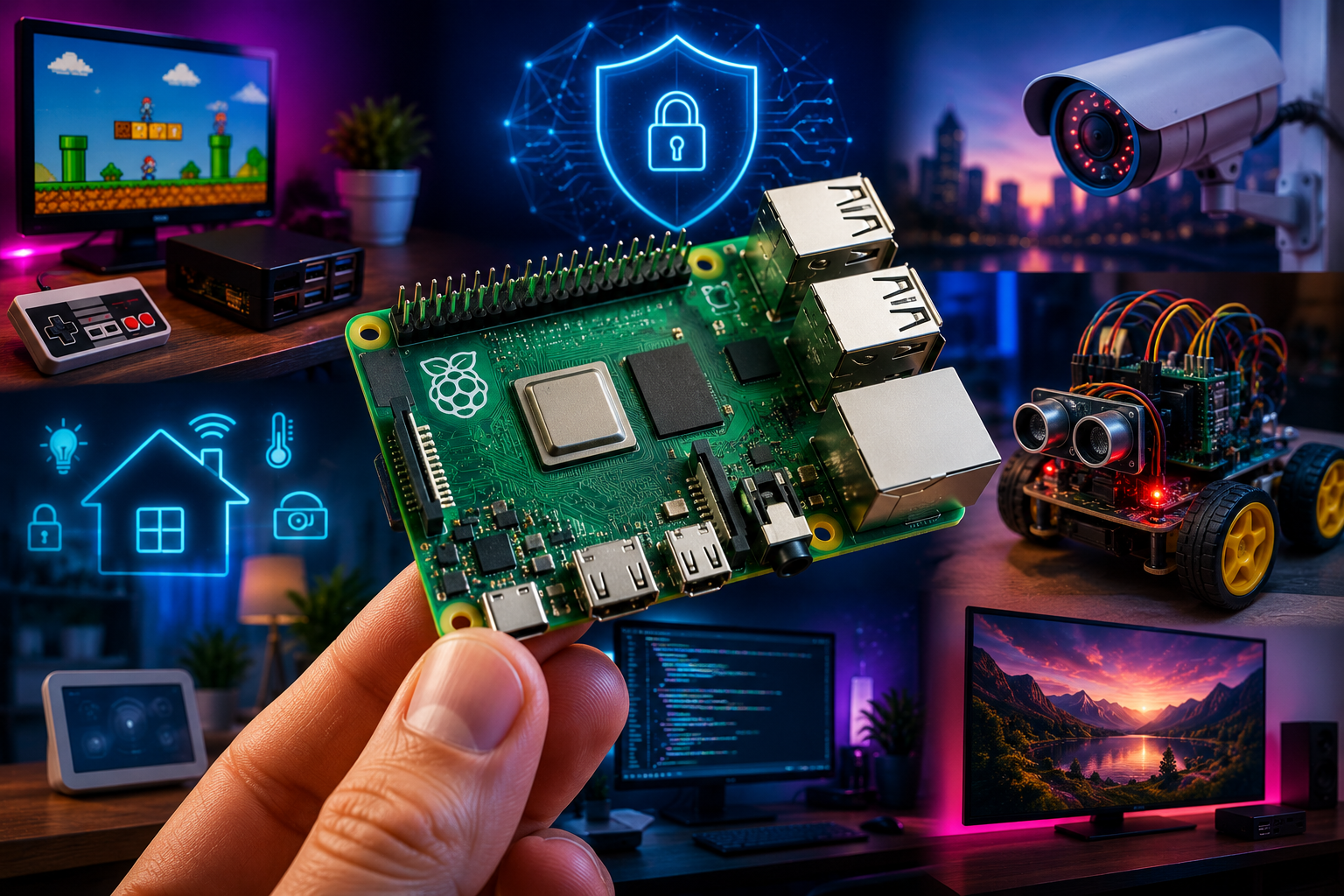
A Raspberry Pi is a full computer the size of a credit card, and Node.js is a JavaScript runtime built for fast, event-driven programs. On their own, each is useful. Together, they form one of the most accessible platforms for building physical computing projects — devices that sense, respond, and act in the real world.
This guide explains what the Raspberry Pi is, why Node.js pairs so well with it, how the hardware and software actually communicate, and how to avoid the mistakes that trip up most beginners. It is written for developers, hobbyists, educators, and product teams who want a durable, practical understanding of this platform — not a walkthrough tied to one specific software version that will be outdated in a year.
By the end, you will understand the core concepts well enough to plan, build, and troubleshoot your own Raspberry Pi and Node.js projects with confidence.
Why This Topic Matters
Software developers are trained to think in abstractions: variables, functions, APIs. Hardware forces a different kind of thinking — voltage, current, timing, physical wiring. The Raspberry Pi closes that gap. It is inexpensive enough to experiment with freely, powerful enough to run a modern operating system, and equipped with pins that let code reach directly into the physical world.
Node.js matters here for a specific reason: most physical computing tasks are fundamentally about handling many small events — a sensor reading changes, a button is pressed, a network request arrives — without blocking everything else while you wait. That is exactly the problem Node.js was designed to solve. Its non-blocking, event-driven model maps naturally onto how embedded devices behave.
This combination has become foundational to three growing fields:
- The Internet of Things (IoT) — connected devices that report data or respond to commands
- Home and industrial automation — systems that control lighting, temperature, access, or machinery
- Edge computing — processing data locally, near the sensor, instead of sending everything to the cloud
Understanding this pairing well is a durable skill. The specific board revision or software version will change over the years; the underlying concepts will not.
Core Concept
What the Raspberry Pi Actually Is
The Raspberry Pi is a single-board computer (SBC): a complete computer — processor, memory, storage interface, and input/output — built onto one small circuit board, without the case, power supply, or peripherals that a traditional desktop includes. It runs a real operating system (most commonly a Linux distribution built specifically for it) rather than simplified firmware, which means it can do almost everything a regular Linux computer can do, just in a much smaller and cheaper package.
Definition box:
Single-board computer (SBC): A complete computer built on a single circuit board, combining processor, memory, and input/output in one compact unit, typically without a built-in display, keyboard, or case.
What Node.js Actually Is
Node.js is a runtime environment that lets JavaScript run outside of a web browser — directly on a device’s operating system. It uses an event-driven, non-blocking architecture, meaning it can handle many operations (reading a sensor, responding to a network request, writing to a file) concurrently without waiting for each one to finish before starting the next.
Definition box:
Event-driven programming: A programming model where the flow of the program is determined by events — such as sensor input, user actions, or incoming messages — rather than by a fixed, linear sequence of instructions.
GPIO: The Bridge Between Code and Hardware
The connection point between the two is GPIO — General Purpose Input/Output. These are physical pins on the Raspberry Pi board that software can control directly. A pin can be set to output a signal (turning an LED on, for example) or to read an incoming signal (detecting whether a button is pressed).
| Term | Plain-language meaning |
|---|---|
| GPIO pin | A physical connector on the board that software can turn on/off or read from |
| High/Low | Electrical states representing on (high voltage) or off (low voltage) |
| Input mode | The pin is used to read a signal coming from a sensor or switch |
| Output mode | The pin is used to send a signal out to a component, like an LED or relay |
| Pull-up/pull-down resistor | A component that keeps a pin at a known state when nothing else is driving it |
How It Works
At a high level, the workflow for a Raspberry Pi and Node.js project follows a consistent pattern, regardless of the specific project:
- The operating system boots and starts the Node.js process, either manually or as a background service.
- A GPIO library (a Node.js package that provides an interface to the board’s pins) is loaded, giving JavaScript code a way to talk to the hardware.
- The program configures pins as either inputs or outputs, depending on what is connected — a sensor, a switch, an LED, a motor driver, and so on.
- The event loop runs continuously, watching for changes: a sensor value crossing a threshold, a message arriving over the network, a scheduled timer firing.
- The program reacts, running a function in response — turning something on or off, logging data, or sending it elsewhere over the network.
This is the same pattern used whether the project is a temperature logger, a smart doorbell, or an industrial monitoring dashboard. The complexity changes; the structure does not.
A Simplified Example in Practice
Imagine a Raspberry Pi connected to a temperature sensor and a small fan. A Node.js program running on the device might:
- Read the sensor value every few seconds
- Compare it against a threshold
- Turn the fan on through a GPIO output pin if the temperature is too high
- Log each reading, and optionally send it to a dashboard over the network
None of this requires specialized embedded-systems knowledge. It uses the same JavaScript syntax and logic a web developer already knows — applied to physical inputs and outputs instead of web requests.
Real Examples
- Home automation controller — a Node.js server running on a Raspberry Pi that turns lights, fans, or appliances on and off based on schedules, sensor readings, or commands from a phone app.
- Environmental data logger — a device that records temperature, humidity, or air quality over time and makes the data available through a simple web dashboard built with Node.js.
- Access control system — a Raspberry Pi reading input from a keypad or card reader, using Node.js to verify credentials and trigger a door lock relay.
- Retail or kiosk display — a Raspberry Pi running a Node.js-powered web application on a small screen, used for digital signage, ordering kiosks, or waiting-room information boards.
- Robotics prototyping — using GPIO output pins to control motor drivers, with Node.js handling the decision logic and any network-based remote control interface.
Benefits
| Benefit | Why it matters |
|---|---|
| Low cost of entry | Affordable enough for individuals and classrooms to experiment freely |
| Full operating system | Supports real development tools, package managers, and networking, unlike stripped-down microcontroller firmware |
| Familiar language | JavaScript is one of the most widely known programming languages, lowering the learning curve for web developers |
| Strong community and package ecosystem | A large number of existing libraries handle common sensors and components, reducing the need to write low-level code |
| Networking built in | Wi-Fi and Ethernet support make it straightforward to build connected, remotely accessible projects |
| Rapid prototyping | Ideal for testing ideas quickly before committing to custom hardware |
Drawbacks
| Drawback | Why it matters |
|---|---|
| Not real-time | The operating system introduces timing variability, making it a poor fit for applications requiring microsecond precision |
| Power and resource overhead | Running a full OS and a JavaScript runtime uses more power and memory than a bare microcontroller |
| Storage reliability | Memory cards used for the operating system can wear out or become corrupted, especially with frequent writes |
| Security responsibility | A full operating system means a full attack surface — it must be maintained and secured like any other networked computer |
| Physical fragility | Direct GPIO wiring, if done incorrectly, can damage components or the board itself |
Quick comparison: Raspberry Pi vs. microcontroller-based boards
| Factor | Raspberry Pi (Node.js) | Typical microcontroller (e.g., Arduino-class board) |
|---|---|---|
| Operating system | Full Linux-based OS | None, or minimal firmware |
| Real-time precision | Limited | Excellent |
| Power consumption | Higher | Very low |
| Ease of networking | Native, straightforward | Often requires additional hardware |
| Best suited for | Data processing, dashboards, networked logic | Precise timing, battery-powered sensors, simple control loops |
Best Practices
- Run Node.js as a managed background service, not as a manually started process, so it restarts automatically after a reboot or crash.
- Use a dedicated GPIO library rather than writing raw hardware access code, both for safety and for reliability across board versions.
- Debounce physical inputs — buttons and switches often produce multiple rapid signals from a single press, and software should account for this.
- Keep the operating system minimal for headless projects. A lightweight, server-only OS image reduces resource use and attack surface compared to a full desktop environment.
- Separate configuration from code. Store settings like network credentials or pin assignments outside the main program logic, so they can change without editing source code.
- Log meaningfully, not excessively. Constant high-frequency logging to a memory card shortens its lifespan; log at intervals appropriate to the task.
- Plan for power loss. Devices in the field will lose power unexpectedly; design the software to recover gracefully rather than requiring manual intervention.
Checklist before deploying a project:
- Node.js process configured to run as a background service
- GPIO pins tested individually before full integration
- Input debouncing implemented where needed
- Network credentials and secrets kept out of source code
- Logging frequency reviewed for storage longevity
- Recovery behavior tested after a simulated power loss
- Physical wiring double-checked against the board’s official pinout
Common Mistakes
- Wiring a pin incorrectly, sending voltage into a pin not designed to handle it, which can damage the board permanently.
- Ignoring debouncing, resulting in a single button press being registered as several separate events.
- Treating the Pi like a real-time controller, then being surprised when timing-sensitive tasks behave inconsistently.
- Running everything as the root user out of convenience, which increases security risk unnecessarily.
- Skipping error handling around sensor readings, so a single bad or missing value crashes the entire program.
- Overwriting the memory card constantly with high-frequency logs, shortening its usable life far sooner than expected.
- Hardcoding network details, making the project fragile the moment it moves to a different network.
Use Cases
- Education — teaching programming and electronics together, since students can see immediate physical results from their code.
- Small business automation — controlling signage, environmental monitoring, or simple access systems without enterprise-grade infrastructure costs.
- Prototyping for larger products — testing whether an idea works before investing in custom-designed hardware.
- Personal productivity and home projects — automated lighting, garden monitoring, or media center setups.
- Research and field data collection — low-cost, networked sensor deployment for environmental or scientific monitoring.
Industry Applications
| Industry | Application |
|---|---|
| Agriculture | Soil moisture and environmental monitoring across distributed field sensors |
| Retail | Digital signage, self-service kiosks, and inventory monitoring displays |
| Manufacturing | Low-cost status monitoring and alerting on production-line equipment |
| Healthcare (non-critical) | Environmental monitoring in facilities, such as temperature-sensitive storage tracking |
| Smart buildings | Access control, occupancy sensing, and automated climate adjustments |
| Logistics | Package or asset tracking terminals in warehouses |
For teams evaluating whether this kind of setup fits a broader connected-device strategy, it’s worth reading more about how AI agents are being layered onto IoT and automation systems to understand where this technology is heading next.
Future Outlook
Several trends are likely to remain relevant well beyond the specific hardware generation in use today:
- Edge processing will keep growing. Rather than sending every sensor reading to the cloud, more decision-making will happen locally, reducing latency and bandwidth costs. Devices like the Raspberry Pi are well positioned for this shift.
- JavaScript’s role in embedded and edge programming will keep expanding, driven by the size of the existing developer talent pool and the maturity of the Node.js ecosystem.
- Security expectations will keep rising. As more physical devices connect to networks, secure-by-default configuration will move from a best practice to a baseline requirement — a trend already visible in modern cybersecurity best practices.
- The line between “hobbyist board” and “production device” will keep blurring, as small businesses increasingly deploy these platforms directly rather than treating them purely as prototypes.
The underlying principle — event-driven software controlling physical inputs and outputs, on affordable and fully networked hardware — is unlikely to go out of date, even as specific board models and software versions are replaced.
Frequently Asked Questions
Is a Raspberry Pi the same as a microcontroller like Arduino? No. A Raspberry Pi runs a full operating system and behaves like a small computer, while a typical microcontroller board runs simple firmware directly, with no operating system layer. Microcontrollers are better for precise timing and very low power use; the Raspberry Pi is better for networking, data processing, and running full applications.
Do I need to know electronics to use a Raspberry Pi with Node.js? A basic understanding helps, particularly around voltage limits and correct wiring, but it is not required to get started. Many projects use pre-built components with clear wiring instructions, and GPIO libraries handle most of the technical complexity in software.
Why use Node.js instead of Python on a Raspberry Pi? Both work well. Node.js is often preferred by teams already using JavaScript, especially for projects involving real-time dashboards or web interfaces, because it shares a language across the device, the server, and the browser. Python has a larger footprint in data-heavy and scientific projects.
Can a Raspberry Pi run without a screen or keyboard? Yes. This is called running “headless,” and it’s common for deployed projects. The device is set up once, then accessed remotely over the network for any future configuration.
What happens if the power is cut suddenly? The main risk is data corruption on the storage card, similar to any computer losing power unexpectedly. Well-designed projects minimize this risk by reducing unnecessary write operations and by testing recovery behavior in advance.
Is a Raspberry Pi suitable for a commercial product? It can be, for lower-volume or prototype-stage products, but it is generally more expensive and less power-efficient per unit than a custom-designed board at scale. Many products start on a Raspberry Pi and later move to purpose-built hardware once the design is proven.
How many GPIO pins does a typical Raspberry Pi have? Most modern models provide around 40 GPIO pins, though the exact number and layout vary between models and should always be checked against the official documentation for the specific board in use.
Is it safe to connect sensors directly to GPIO pins? Generally yes, as long as voltage and current limits are respected. Many sensors require additional components, such as resistors, to operate safely. Checking a component’s specifications before wiring it in is essential.
Can multiple programs use the GPIO pins at the same time? Not safely, in most cases. Two programs trying to control the same pin simultaneously can cause conflicts or unpredictable behavior. Projects are typically designed so a single controlling process manages hardware access.
Does a Raspberry Pi project need an internet connection to work? No. Many projects run entirely offline, using GPIO for local sensing and control. An internet connection is only required for features like remote monitoring, cloud logging, or receiving external commands.
Key Takeaways
- The Raspberry Pi is a full, low-cost computer with physical GPIO pins that let software interact directly with the real world.
- Node.js pairs naturally with this because its event-driven model matches how hardware events — sensor changes, button presses, incoming data — actually occur.
- The Pi is not suited for tasks requiring precise real-time timing; that role is better filled by microcontrollers.
- Reliability depends heavily on software discipline: managed services, input debouncing, minimal logging, and planning for power loss.
- The platform’s core value — affordable, networked, event-driven physical computing — is a durable concept, independent of any single hardware or software version.
Final Thoughts
The value of the Raspberry Pi and Node.js combination isn’t any single project you can build with it — it’s the mental model it teaches. Once you understand how software can listen for physical events and respond to them in real time, that thinking transfers to nearly every connected device you’ll encounter, from consumer smart-home products to industrial monitoring systems.
Start small, respect the hardware’s limits, and build the habits — managed processes, careful wiring, thoughtful logging — that separate a fragile weekend project from something reliable enough to run unattended for months.





Leave a Reply