

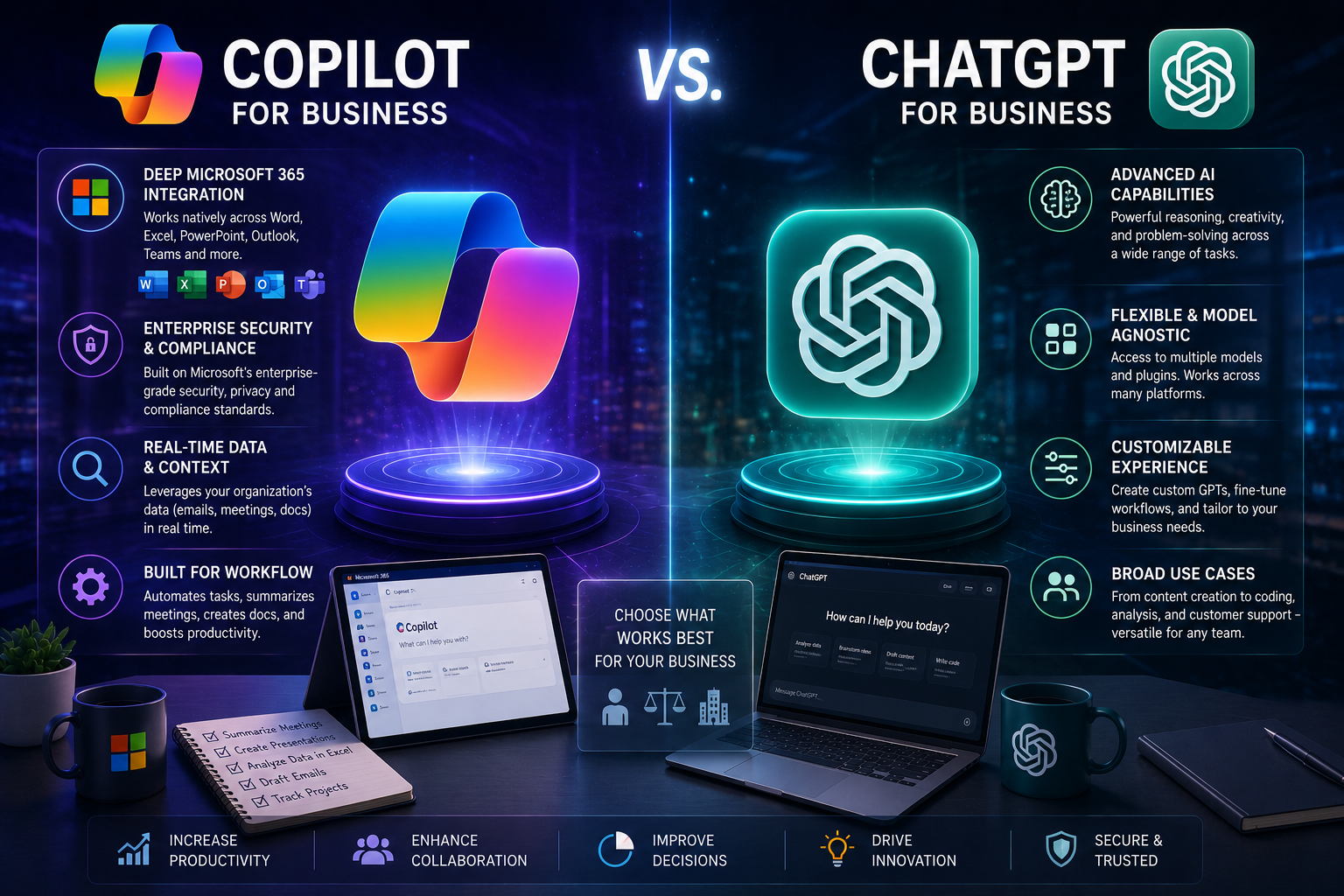
Businesses evaluating AI assistants almost always end up comparing the same two names: Microsoft Copilot and ChatGPT. Both are built on similar foundational technology, both can draft content, analyze data, and answer questions, and on the surface, they can look nearly interchangeable. They aren’t.
The real difference isn’t which one is “smarter” — it’s where each tool is designed to operate, how it handles your company’s data, and how deeply it needs to be woven into your existing systems to deliver value. This guide breaks down those differences so you can make an informed decision for your organization, rather than picking based on brand familiarity alone.
The Short Answer
- ChatGPT is the stronger choice for general-purpose reasoning, long-form writing, and organizations that aren’t standardized on Microsoft 365.
- Microsoft Copilot is the stronger choice for organizations already built around Microsoft 365, where secure access to internal data and native integration matter more than raw flexibility.
- Both tools rely on similar categories of underlying AI models, but Copilot is architected to keep your company’s data contained within your own Microsoft environment by default.
- Copilot requires more upfront data preparation — permissions, sensitivity labels, and governance structures — but rewards that investment with deeper organizational context.
- Many organizations end up using both tools, assigning each to the tasks it handles best rather than treating the decision as strictly either-or.
What Microsoft Copilot Actually Is
Microsoft Copilot isn’t a single product — it’s a family of AI assistants embedded across Microsoft’s ecosystem, including Windows, Microsoft 365, web search, and developer tools like GitHub. Rather than existing as a standalone destination you visit, Copilot lives inside the applications people already use for their daily work.
Under the hood, Copilot combines large language models with Microsoft’s cloud infrastructure and a layer of organizational context pulled from a business’s own approved data — emails, documents, chats, and calendars — governed entirely by that user’s existing access permissions. This grounding in real organizational context is what separates Copilot’s answers from a generic response: it can reference the actual meeting you had last week or the actual spreadsheet your team is working from, rather than requiring you to paste that context in manually.
Copilot spans several distinct products, each built for a different audience:
- Consumer Copilot — general AI chat, web search, and content assistance for individual and personal use, typically free or bundled with personal Microsoft subscriptions.
- Microsoft 365 Copilot — the core business product, embedded across Word, Excel, PowerPoint, Outlook, and Teams, with access to organizational data through Microsoft’s permissions system.
- Windows Copilot — an operating-system-level assistant for system settings, file discovery, and desktop-level tasks.
- Security Copilot — a specialized version built for security and IT teams, assisting with threat detection, incident response, and posture management.
- Dynamics 365 Copilot — a role-based assistant embedded inside CRM and ERP workflows for sales, service, and operations teams.
Understanding that Copilot isn’t one product but a suite matters when evaluating cost and capability — the right entry point depends entirely on which part of your organization needs AI support.
What ChatGPT Actually Is
ChatGPT is a general-purpose AI chatbot built on a transformer-based large language model, designed to answer questions, write and edit content, generate and debug code, and assist with research and creative work through natural conversation. Unlike Copilot, it doesn’t live inside any particular productivity suite — it operates primarily as a standalone application, with optional integrations added through APIs and connectors rather than deep native embedding.
This architectural choice is the source of both ChatGPT’s biggest strength and its biggest limitation. Because it isn’t tied to any single ecosystem, it works equally well for an organization running Google Workspace, Salesforce, Slack, and a dozen other tools. But that same independence means it has no automatic awareness of your internal files, meetings, or organizational structure unless you explicitly provide that context in each conversation.
Like Copilot, ChatGPT spans several distinct tiers, ranging from a free consumer version through paid individual plans, to team and enterprise tiers built around shared workspaces, administrative controls, and stronger default privacy — including a guarantee that business-tier conversations aren’t used to train the underlying models.
Core Architectural Differences
The clearest way to understand the difference between these tools is to think about direction of integration rather than raw capability.
| Dimension | Microsoft Copilot | ChatGPT |
|---|---|---|
| Integration direction | Integrates inward, deeply embedded within Microsoft 365 | Integrates outward, connecting across a broad, vendor-neutral SaaS ecosystem |
| Data grounding | Automatic, based on existing permissions within your Microsoft tenant | Manual — requires the user to upload or paste relevant context |
| Best environment | Organizations standardized on Microsoft 365 | Organizations using varied, multi-vendor tool stacks |
| Core strength | Secure, contextual execution inside existing workflows | Deep reasoning, long-form writing, and flexible problem-solving |
| Customization approach | Governed through admin-controlled connectors and organizational data | Highly flexible through custom instructions, tools, and API-level workflows |
Neither approach is inherently better — they’re optimized for different organizational realities. A company deeply invested in Microsoft 365 will get far more value from Copilot’s automatic context than from manually feeding ChatGPT the same information in every conversation. A company running a varied, best-of-breed software stack will find ChatGPT’s platform independence far more useful than Copilot’s Microsoft-centric integration model.
Data Security and Governance: The Real Deciding Factor
For most businesses, the decision between these tools ultimately comes down to how each one handles sensitive company data — and this is where the architectural differences matter most.
Microsoft Copilot inherits your existing Microsoft 365 security model automatically. Because it runs inside your organization’s tenant, it automatically enforces identity management, role-based access controls, data loss prevention policies, and data sensitivity labels that your organization has already configured. Critically, Copilot cannot surface information to a user who wouldn’t already have permission to see it through their normal account access — meaning a confidential document stays confidential to the same people it was already restricted to.
ChatGPT’s security depends heavily on which version is deployed and how carefully it’s governed. The consumer version doesn’t inherently understand your organization’s data sensitivity, access structure, or governance policies — security in practice depends on users exercising good judgment about what they paste into a conversation. Business and enterprise tiers close much of this gap through isolated environments, single sign-on, audit logging, and contractual guarantees that customer data isn’t used for training. But even with those protections, the tool still doesn’t automatically understand internal permission structures the way a natively embedded product does.
The practical difference: Copilot is closed and governed by design, requiring more setup investment but delivering safety by default. ChatGPT can be made highly secure with the right plan and clear organizational policy, but that security depends more heavily on deliberate configuration and consistent user behavior rather than being automatic.
Whichever tool your organization adopts, having a clear, written generative AI usage policy — covering what data can and can’t be entered into an AI tool — is one of the highest-value steps a business can take before rolling either tool out broadly.
Strengths and Weaknesses at a Glance
Microsoft Copilot tends to excel at:
- Working inside the Microsoft 365 tools your team already uses daily
- Enterprise-grade security and compliance that inherits your existing tenant configuration
- Contextual awareness of your organization’s meetings, files, and ongoing projects
- Ease of adoption for teams already fluent in Microsoft 365
Microsoft Copilot tends to fall short at:
- Long-form, abstract, or highly creative reasoning tasks without a document to anchor the request
- Flexibility for non-professional or highly original output
- Deep customization or transparency into how a response was generated
ChatGPT tends to excel at:
- Multi-step reasoning, comparing complex options, and structuring messy inputs into clear frameworks
- Long-form writing, editing, and tone adaptation
- Working across a varied, multi-vendor software environment
- Code generation, debugging, and technical explanation
ChatGPT tends to fall short at:
- Default governance — it doesn’t automatically understand your organization’s structure or data sensitivity
- Native awareness of your ongoing work context without manual input
- Embedding directly inside the productivity tools your team already uses, which often means copying output back and forth
A Practical Decision Framework
Rather than trying to declare one tool universally better, walk through your organization’s actual situation using the framework below.
Step 1: Where does your work actually happen?
If the bulk of daily work happens inside Word, Excel, Outlook, Teams, and SharePoint, Copilot’s embedded advantage is hard to beat — its value comes directly from operating inside tools your team already relies on. If your work spans a wider mix of platforms — research, strategy, technical development, marketing across multiple SaaS tools — ChatGPT’s platform independence tends to serve you better.
Step 2: How much governance does your data actually need?
If you need AI that’s safe by default across your entire workforce without heavy individual training, Copilot’s automatic inheritance of your existing security stack reduces risk substantially. If you can invest in clear policy, training, and a more controlled rollout to specific high-leverage roles, ChatGPT Business or Enterprise becomes a fully viable option.
Step 3: What kind of output do you need most often?
For coding, deep multi-step analysis, and long-form writing, ChatGPT generally has the edge. For drafting communications, summarizing meetings, and producing outputs that stay securely grounded in existing organizational context, Copilot generally wins.
Step 4: Consider using both, deliberately.
Many organizations don’t choose one tool exclusively — they assign each tool to the work it does best. A common pattern: use ChatGPT for open-ended thinking, strategy development, and drafting, then move that output into Copilot to polish, format, and distribute it securely within Microsoft 365 workflows. This combination captures the reasoning strength of one tool and the secure execution strength of the other, rather than forcing a single tool to do both jobs.
Best Practices for Choosing and Deploying Either Tool
- Start with a genuine assessment of where your data lives and how sensitive it is, before comparing feature lists.
- Write a clear generative AI usage policy before rolling either tool out broadly, covering what data is and isn’t appropriate to enter into an AI system.
- Pilot with a specific team or use case before committing to an organization-wide rollout, so you can catch friction early.
- Invest in training regardless of which tool you choose. Both tools deliver significantly more value when users understand how to prompt them effectively and know their limitations.
- Revisit the decision periodically. Both platforms evolve quickly, and a tool that wasn’t the right fit a year ago may have closed that gap since.
Common Mistakes to Avoid
- Assuming price alone tells the full story. On the surface, these tools often carry similar sticker prices at comparable tiers, but the actual value depends entirely on how well the tool fits your existing workflows and data governance needs.
- Deploying a consumer-tier tool for sensitive company data. Free or individual-tier versions of either product were not built with enterprise data governance in mind.
- Treating the decision as strictly either-or. Many of the strongest AI-mature organizations use both tools deliberately, rather than forcing every use case through a single platform.
- Skipping policy and training. The security advantage of either platform is significantly undermined if employees aren’t trained on what’s appropriate to share with an AI tool.
- Ignoring where your actual work happens. A tool with excellent reasoning capability still creates friction if it doesn’t fit into your team’s daily workflow.
Key Takeaways
- Microsoft Copilot and ChatGPT are built on similar categories of underlying AI models but differ substantially in integration philosophy, data handling, and governance.
- Copilot integrates inward around Microsoft 365 and inherits your organization’s existing security posture automatically, making it a strong default for Microsoft-standardized businesses.
- ChatGPT integrates outward across a broad, vendor-neutral ecosystem and generally leads in deep reasoning, long-form writing, and coding support.
- Data governance — not raw intelligence — is usually the deciding factor for enterprise adoption, and it depends heavily on which specific plan and configuration a business chooses.
- Many organizations get the most value from using both tools deliberately, rather than picking one exclusively.
Frequently Asked Questions
Is Microsoft Copilot built on ChatGPT? Copilot uses similar categories of underlying language models as ChatGPT, but it is a distinct product with its own architecture, security model, and integrations — not simply ChatGPT running inside Microsoft’s environment. Copilot wraps its models in Microsoft’s own orchestration, data grounding, and enterprise security layer.
Is Copilot more secure than ChatGPT for business use? Copilot is generally safer by default because it automatically inherits your organization’s existing Microsoft 365 security configuration, including access controls and sensitivity labels. ChatGPT can be made comparably secure at business and enterprise tiers, but that security depends more on deliberate configuration, clear policy, and disciplined user behavior rather than being automatic.
Which tool is better for coding? ChatGPT is generally the stronger choice for coding tasks — debugging, refactoring, and explaining technical concepts — due to its more flexible, developer-centric reasoning. Copilot can still be useful for coding-adjacent work, like turning meeting notes into technical specifications, especially when that context lives inside Microsoft 365.
Can a business use both Copilot and ChatGPT? Yes, and many do. A common pattern is using ChatGPT for open-ended strategy, research, and drafting, then bringing that output into Copilot to refine, format, and distribute securely within existing Microsoft 365 workflows.
How should a business decide between the two tools? Start by identifying where your team’s actual daily work happens and how strict your data governance requirements are. Organizations built around Microsoft 365 with strict governance needs generally lean toward Copilot, while organizations with varied tool stacks and a higher tolerance for user-driven data handling often get more value from ChatGPT.
Conclusion
Choosing between Microsoft Copilot and ChatGPT isn’t really about which tool is more advanced — both are built on strong, capable AI models. The real decision comes down to where your organization’s work actually happens and how much automatic data governance you need versus how much flexibility across tools matters to your team. For Microsoft 365-standardized businesses with strict governance needs, Copilot is typically the safer default. For organizations that value flexible reasoning and operate across a wider mix of platforms, ChatGPT usually wins. And for many businesses, the strongest answer isn’t choosing one at all — it’s using each tool deliberately for the job it does best.






Leave a Reply